☁️ Cloud Replication to VPS: Disaster Recovery Without Vendor Lock-In | VCCLHOSTING
☁️ Cloud Replication to VPS: Disaster Recovery Without Vendor Lock-In
Disaster Recovery (DR) is no longer optional—it’s essential. Outages, cyberattacks, and hardware failures can bring businesses to a halt. Traditionally, many organizations rely on a single cloud vendor for DR, but this often creates a vendor lock-in problem: once you’re tied to their ecosystem, migrating or scaling becomes costly and complicated.
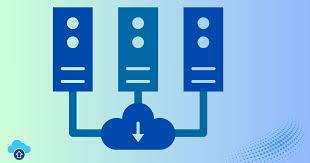
That’s where Cloud-to-VPS Replication comes in. By replicating workloads from cloud platforms into Virtual Private Servers (VPS), businesses can build a vendor-neutral DR strategy that ensures flexibility, resilience, and cost efficiency.
🔄 What is Cloud Replication to VPS?
Cloud replication is the process of continuously (or periodically) syncing your workloads, applications, and data from a primary environment (e.g., AWS, Azure, Google Cloud) into a secondary VPS environment.
If your main cloud goes down, the replicated VPS takes over, minimizing downtime and keeping your services online.
📊 Suggested Diagram: Cloud-to-VPS DR Flow
Primary Cloud (AWS/Azure/Google) → Continuous Sync → VPS DR Node (VCCLHOSTING) → Failover → End Users
🚩 Why Vendor Lock-In Is Risky
-
Cost Traps – Cloud providers may increase pricing unexpectedly.
-
Limited Flexibility – You’re stuck with their specific ecosystem, tools, and APIs.
-
Migration Complexity – Moving workloads between vendors is often slow and expensive.
-
Compliance Issues – Some industries require multi-vendor resilience for DR certification.
⚙️ Advantages of Cloud-to-VPS Disaster Recovery
✅ Vendor Independence
Run replicas of your workloads in VPS environments (like VCCLHOSTING), giving you freedom to switch providers anytime.
✅ Lower Costs
VPS DR nodes are often cheaper than maintaining hot standby instances in hyperscale clouds.
✅ Custom Control
Unlike big cloud platforms, VPS hosting allows root-level access—ideal for configuring custom firewalls, VPNs, or compliance policies.
✅ Geo-Redundancy
Replicate workloads across multiple regions with VPS providers, ensuring global resilience.
✅ Seamless Failover
In case of failure, traffic automatically redirects to the VPS DR environment, keeping downtime near zero.
🧠 Use Cases of VPS Replication

-
E-commerce Sites – Keep stores online even if your main cloud crashes.
-
Forex & Financial Trading – VPS replication ensures ultra-low latency DR nodes close to your traders.
-
SaaS Platforms – Scale across multiple VPS environments to avoid vendor dependency.
-
Compliance-Driven Industries – Finance, healthcare, and government projects benefit from multi-vendor DR setups.
🛡️ How VCCLHOSTING Helps with Cloud-to-VPS DR
At VCCLHOSTING, we specialize in helping businesses replicate workloads seamlessly from cloud to VPS:
🔹 Cross-Cloud Replication – Sync workloads from AWS, Azure, or GCP into VCCLHOSTING VPS.
🔹 Optimized VPS Plans – SSD/NVMe storage, scalable CPU/RAM, and root access.
🔹 Automated Failover & Monitoring – 24/7 proactive monitoring with instant DR activation.
🔹 Geo-Located VPS Options – Deploy DR nodes near your customers for minimal latency.
🔹 Migration Assistance – Free expert help in setting up DR strategies.
🚀 Conclusion
Vendor lock-in is a risk no modern business can afford. By replicating your cloud workloads into VPS environments, you get the best of both worlds—the scalability of the cloud and the flexibility of independent hosting.
With VCCLHOSTING’s VPS disaster recovery solutions, you gain full control, resilience, and freedom from vendor restrictions.
Comments
Post a Comment